
Wow… I’m back from the blogging black hole. Nothing posted since last October, but so much has happened. It’s probably fitting for me to start afresh. I recently relocated to Cary, NC from the DC metropolitan area and started working for consulting company in Raleigh, NC. I was hired as a Sr. VMware Engineer, giving me the opportunity to hone my skills in the exciting world of data center virtualization. For the last 15 years of my IT career, I’ve had the opportunity to work my way up through the ranks, spending the last six years managing a data center. I’ve designed and implemented physical and virtual infrastructures, storage, backup and DR solutions, Windows and Linux environments, Active Directory, Exchange, Citrix,… I’ve worked closely with the network and security teams to provide the right solutions for the increasing demands of our customers. I even had to learn the lingo and philosophy of ITIL in my attempt to better manage the day to day network operations. I’ve touched all parts of the infrastructure stack, but have had little time or resources to dive really deep. In this position I hope to change that. New home, new job, new opportunities for growth, all make for an exciting adventure. I’m ready to go!
File Lock on Full VMFS Volume
We just recently had a VMFS volume become full due to over-provisioning which caused the VMs on the datastore to stop responding. Typically the solution is easy – free up space on the volume by migrating VMs off the datastore or increase the space on the underlying volume and expand the datastore. Since this was just a development environment, we did not have an enterprise-grade array that provided features such as volume autogrow, nor did we even have the luxury of additional space to add to the volume. We realized we would have to move files off the datastore to free up space to allow the VMs to “breathe” again. We quickly discovered however, that we could not migrate VMs nor delete any files off the volume.
We were prompted with an error when attempting a VM migration or a file deletion from the vSphere client. We also tried removing files via the service console which returned the following error:
rm: cannot remove <filename>: Input/output error
It appeared that the files were locked. Thankfully, we discovered a quick solution. One of the servers in the cluster had a lock on a file on the full volume but had no space to release the lock. The only way to manually force this release was to attempt to remove any one file from from this volume from each of the hosts in the cluster. This command would be successful on whichever host in the cluster was holding the lock.
VMware wrote this KB article stating exactly this solution: http://kb.vmware.com/selfservice/microsites/search.do?language=en_US&cmd=displayKC&externalId=1011592
Thankfully, this worked for us and allowed us to free up enough space to perform normal operations on the VMFS volume and get the stopped VMs running once again.
VMworld 2012, Day 1 – Sessions
After the opening keynote session, I immediately headed over to the Hang Space. This is such a cool concept for the conference. Great place to kick back, take a break, catch up with folks, meet new ones, watch the events on the big screen or catch the Cube and Community interviews and Tech Talks. The Tech Talks are a fantastic idea. The #vBrownBag crew (Cody Bunch, Josh Atwell, Alastair Cooke, Nick Marshall and Damian Karlson) have organized and powered the Tech Talks, part of which consist of the Lightening Talks. This is an opportunity for anyone to take the stage to present their rejected VMworld session (or any VMware topic) in 15 minutes or less. What a great idea! I was able to catch a couple of these today and thought this was such a valuable addition to the whole VMworld experience this year. Of course I grabbed my required #vBrownBag brown bag filled with all kinds of goodies including the coveted “USB Stick of Awesomeness”. Sure to be one of the better pieces of swag this year.
I also managed to squeeze in a number of sessions today:
- Architecting a Cloud Infrastructure (#INF-VSP1168) – Chris Colotti, David Hill, Aidan Dalgleish, Rawlinson Rivera, Duncan Epping
We’re new to the cloud computing space so this was a good session to get exposed to the design and architecture of a solid cloud infrastructure. Much of this went over my head but great to hear advice straight from some of the giants of cloud infrastructure design.
- How to Achieve Optimized and Virtualized Business Critical Applications (#SPO3339) –Vaughn Stewart, David Korsunsky, Bart Falzarano
Being a NetApp customer, this was good for an overview on NetApp’s data efficiency solutions, along with its integration with VMware and a customer case study thrown in for good validation.
- Ask the Expert vBloggers (#INF-VSP1504) – Rick Scherer, Chad Sakac, Frank Denneman, Duncan Epping and Scott Lowe
This was a fun session. These guys are all well-known on the blogging scene – all but Rick have blogs in the top 5 according to Eric Siebert’s vsphere-land.com. They were all very candid in their responses regarding the technical (even troubleshooting issues) as well as the non-technical (how has being a super blogger changed your life/career?). Very informative and ever so entertaining.
- Become a Rock Star with PowerCLI and vCenter Orchestrator (#INF-VSP1856) – Josh Atwell
Another informative and entertaining session with first-time VMworld speaker Josh Atwell. He is incredibly active in the VMware and Cisco communities and is one of the driving forces behind the #vBrownBag community. This session was great as it was a purely vendor neutral how-to session around automation using PowerCLI and vCenter Orchestrator. Great tips with a bit of fun thrown in, including a proud Dad moment – taping the audience wishing his three year old son Happy Birthday. How great is that!
- vSphere 5 Storage Best Practices (#INF-STO2980) – Vaughn Stewart and Chad Sakac
Vaughn and Chad have been doing this session for the past several years and is a VMworld favorite. Two great personalities from opposing vendors on one stage to discuss storage best practices in as vendor neutral manner as they can. It’s always entertaining watching them tap dance and sometimes slip in their jabs at each other, but it’s all in good fun as the two highly respect each other . Very informative with such great information for me to carry back. Will definitely review the session notes on this one!
After the sessions, I managed to make it to a couple vendor after-hours events and then back to the hotel for an early night. I was feeling a little under the weather so this was a nice relief. Back up early again tomorrow.
VMworld 2012, Day 1 – Keynote
The opening act for VMworld was the usual keynote by Paul Maritz and Steve Herrod. This being Paul Maritz’ last week as CEO of VMware, he took the opportunity to introduce the incoming CEO, Pat Gelsinger and officially hand the torch over to him. Maritz is a man of incredible vision mixed with the business acumen to drive a multi-billion dollar company through some of wildest changes across the IT landscape. Over the last five years as CEO, he gauged the direction of the industry, foresaw and articulated what most people couldn’t comprehend, and leveraged VMware’s existing solutions to capitalize on this new paradigm. VMware through their solutions has revolutionized cloud and we have Paul Maritz to thank for his incredible leadership. And now a new leader is coming in – Pat Gelsinger. Paul handed the torch to him with command, “Take good care of her.”
Pat Gelsinger then articulated the vision of the expanding cloud infrastructure. He defined the Software-Defined Datacenter – “All infrastructure is virtualized and delivered as a service, and the control of the datacenter is entirely automated by software.” He outlined the need to abstract, pool and automate all aspects of the data center and deliver the entire data center as a set of services. This has already been done with Compute and Storage/Availability, but still needs to be done with Network/Security and Management. The goal of the SDDC is to bring together one common platform to manage all aspects. With this he introduced the vCloud Suite, one of the major announcements coming out of VMworld.
The vCloud Suite is the complete integrated solution to IT infrastructure management for the cloud. It is built on the solid core foundation of vSphere and extends its reach with the following components: vCloud Director, vCloud Connector, vCloud Networking and Security, vCenter Site Recovery Manager, vCenter Operations Management Suite and vFabric Application Director.
Along with this announcement came the release of vSphere 5.1, the newest version of the highest performing and most reliable hypervisor in the industry. And with this release came the greater announcement, the music to everyone’s ears: the abolishment of vRAM entitlements. This reversal in their pricing was in direct response to the negative feedback from the community. Future pricing would be one easy model – per CPU, per socket. Hooray.
Steve Herrod then came to the stage and further explained the value of the vCloud Suite. He dived down into each of the layers to show how we can now provision the entire virtualized data center just like we have been provisioning virtual machines. So much has already been accomplished on the compute layer, but max capacity levels have increased. Moster VMs have gone from max of 32 vCPUs to 64 vCPUs with up to 1 million IOPS per VM (up from 1 million per host). On the storage layer, advances have been made to better integrate components such as storage pools, storage DRS and SRM into the management tools. One big announcement around this layer is the introduction of Enhanced vMotion. The software-defined data center should have no physical constructs with which to move around so the limitation of shared storage has been removed! Finally on the network layer, great progress has been made to abstract the physical network. So IDS, traffic management, firewalls, subnets and VLANS can now be abstracted and worked into the virtualized data center, allowing much faster and easier provisioning. VXLAN technology has been expanded and we can now extend Layer 2 networks across the cloud. We can burst a VM into a vCloud provider’s cloud without changing the IP or MAC address, seamlessly and easily. Cool stuff. All of these layers are pulled together into one management tool. VMware has designed a more elegant user browser-based interface to manage everything from one place. This UI seamlessly ties into other tools that customers are already working with and provides vCloud APIs to allow partners to build UIs on top of this to further extend the capabilities.
Steve showed off this technology using several cool demos. Tomorrow he plans to continue his journey up the stack by outlining the advances around mobile access. Looking forward to it!
VMworld 2012, Day 0
Since VMworld scheduled events on Sunday this year, I felt compelled to fly out yesterday which allowed me some time to kill earlier today. I ended up heading to the Golden Gate Bridge for a little sightseeing before registration opened. That was awesome. Ever since I was a little kid, I remembered being fascinated with modern marvels of engineering and how these incredible structures were built. I recall reading about the Golden Gate Bridge and being so amazed. During my two previous trips to San Francisco, I missed out on the opportunity of seeing the bridge since I never had enough time to head across town and was unable to see it from afar because of the fog. Today was a beautiful day and I had the time and boy did I take advantage. It was awesome. Seeing the bridge for the first time was breathtaking. I took the time to hike across, catch the view of the San Fran skyline and Alcatraz, hike up the hill to Battery Spencer in Sausalito for a stunning view and then make the return hike. It was a lifelong dream fulfilled – to hike across the Golden Gate Bridge. Very cool.
Then it was time to get serious… I had to get back to Moscone to hit registration and get rolling with the activities. My plan was to register, then hit the Hands on Labs and then get to the Welcome Reception which was starting at 4PM. Boy, it was exciting approaching the Moscone Center – I could feel the energy – excitement abounded for what was in store for the week. Registration was easy, but by the time I got checked in and received my conference bag, the line for the Hands on Labs was a dreadful 3 hours long. I figured that everyone else must have had the same idea and jumped in line since there were no other events going on. What I did not realize at the time was that there were technical difficulties with the labs which caused quite a delay for most people who tried to get in that afternoon. So, I figured I’d poke around a little and grab some food before heading back to enjoy the Welcome Reception.
The Welcome Reception was typical but fun. I did have a chance to run into and chat with Chris Gebhardt from NetApp who introduced me to Nick Howell. I also got to spend some time chatting with the folks at Commvault (and even walked away with a nice raffle prize!). I made sure I also spent some time at the Dell, Cisco and Intel booths and of course, browsed the VMware booth. I always love the opportunity to speak with their product experts and see quick demos of their solutions.
Once the Welcome Reception was over I hopped over to the labs again and managed to make it through half a lab before dropping out and running across the street to join the highly touted VMunderground party at Jillian’s. This was the must-attend unofficial event organized by Theron Conrey, Sean Clark and Brian Knudtson. This was the event that sold out in 7 minutes when tickets went on sale. And this was the event attended by a veritable Who’s Who of the community: Scott Lowe, Duncan Epping, Frank Denneman, Mike Laverick, John Troyer, Chris Kusek, Greg Shields, the vBrownbag crew, and many, many others. Great time there, met a couple folks and finally got to say, I experienced the VMunderground. Well done guys.
All in all it was a great warm up day to the official events that really get rolling tomorrow!
Cloudy trip to VMworld
Here I am flying well above the cumulonimbus clouds over Nevada on my way to VMworld, the quintessential virtual and cloud conference of the year hosted by VMware. Yes, the adventure is beginning and I intend for this week to be just that – an adventure. I’ve been designing, building and managing virtual environments for about 5 years now, but I’m too often blown away by how much I have yet to learn. VMware has done wonders for infrastructure management and data center design. They have single-handedly revolutionized the industry. Others have come and developed virtual infrastructure and cloud-enabling technologies, but VMware is the de-facto standard in the enterprise. It was the pioneer and data centers are where they are today because of them. Not one to stand still, it has evolved from its virtual pioneering days to become the cloud enabling giant it is today.
And here I am staring out at those clouds thinking I have so much to learn. VMware has built a set of technologies to enable businesses of all sizes tap into the cloud and change the way they manage systems. My organization, although highly virtualized, is only beginning to scratch the surface of cloud. I don’t even think we quite understand it yet. We insist the lingo is great for marketing, but I have to believe it is so much more. And that is why this week will be an adventure. A week of discovery and exploration. What can I bring back to my employer from the conference this week that will help us manage our virtual environment more efficiently, leverage our existing resources and optimize our systems management? What technologies will we be able to implement that will help us move into the next stage of IT design and management, where we take hold of automation, fast provisioning, transparent monitoring, iron-clad availability and robust remote access? We have to start thinking “cloud” in order to make this transition and better serve our customers: our own employees and the untold numbers of families depending on our services.
So this week will be an adventure. I’ll be landing soon at SFO and then heading downtown to Moscone where 20,000 other crazy passionate geeks will be converging over the next 5 days. It’ll be awesome. I hope to meet some new folks, try out some new technologies, be awed by the big announcements and the promises on the horizon, and learn, learn, learn. The adventure awaits. Let’s hit the ground running.
#vBrownBag Wednesdays
I’m super excited about VMworld! Fueling that excitement has been taking part in the Wednesday night vBrownBags hosted by Cody Bunch and team over at professionalvmware.com. The guys are currently running through the VCAP5-DCA Exam Blueprint, which is motivating me to start studying for my first VCAP! The community around these vBrownBags is awesome to say the least. So much that I’m a little intimidated to jump in, but these guys have a blast, they spur and encourage each other, and they know their stuff! Obviously, a great community to jump into!
Tonight’s presentation was VCAP5-DCA Blueprint Objectives 1.2 and 1.3, presented by Hersey Cartwright. I was overwhelmed by how much was still so new to me. Great job by Hersey and this followed last week’s awesome session by Josh Atwell running through the VCAP5-DCA Objective 8.1. Good stuff and some fun announcements about VMworld.
Hersey gave some great links to VCAP study aids. I’m going to list them off here since I’ll need an easy point of reference when I start studying for my VCAP5-DCA.
VCAP5-DCA Study Checklist – @chriswahl http://wahlnetwork.com/2012/07/02/the-vcap5-dca-study-sheet/ vExperienced – @egrigson http://www.vexperienced.co.uk/vcap5-dca/ http://www.vexperienced.co.uk/2012/04/12/vcap5-dca-whats-new/ The SaffaGeek – @greggrobertson5 http://thesaffageek.co.uk/vcap5-dca-objectives/ VirtualLanger – @jaslanger http://www.virtuallanger.com/vcap-dca-5/ VALCO Labs – @joshcoen http://www.valcolabs.com/vcap5-dca/Some great links by some very solid and well respected contributors in the community. Thanks guys.
Ok, time to study!!
VMworld 2012 Schedule Built
VMworld 2012 is right around the corner and yesterday VMware launched the much-awaited Schedule Builder. It appears they will stick with the approach they have most years – one must register for a session in order to be admitted. So… after receiving the email that Schedule Builder was live (and then after happily spending the day with my family who just arrived home from being out of town!), I was online crafting my schedule.
Focus this year is on a few areas:
1. Desktop/App Virtualization. Isn’t this on everyone’s list? And hasn’t it been for the last few years? How many years has it been “The Year of VDI”? So, my organization has been kicking around the idea for a couple years as well, but this year the drive has significantly increased for two primary reasons: manageability and security. With that, I made space for some cool sessions:
EUC2411 – Quantifying The Business Value of VMware View Hosted Virtual Desktop Solution – Diana Tsao and Ridwan Huq
EUC2671 – VMware ThinApp Technology Review and Evolution – Aaron Black and Peter Bjork
EUC1207 – ThinApp Implementation and Design Best Practices – Raymond Dusseault
EUC1351 – Directions in End-user Computing: The Post-PC Era – Scott Davis
2. Cloud Architecture. The cloud is all the rage these days. Come on, if you’re in IT you hear about it everyday. And if you’re a consumer, you use it everyday. We’ve had virtualized systems for the last 5 years, but never really looked at our environment as a true private cloud. It’s about time to change that perception and treat our environment as such to increase efficiency and quality of IT services. Here are the current sessions to better help us down this road:
INF-VSP1168 – Architecting a Cloud Infrastructure – David Hill, Aidan Dalgleish and Chris Colotti
SPO3340 – Enabling a Private Cloud on NetApp and VMware – Chris Knowles and Nick Howell
ITT3241 – Operating a More Reliable Cloud Through Proactive Incident and Problem Management – Rich Pleasants
OPS-CSM2248 – A Class on Deploying a Production Cloud Architecture – Chris Knowles
3. vSphere Best Practices. Even though we’ve been virtualized for almost five years, we are always looking for ways to improve performance. Design considerations should always be reviewed to continue to optimize the environment and provide the best value to the customer. The following sessions are my picks to cover the various aspects of vSphere design:
INF-STO2980 – vSphere 5 Storage Best Practices – Chad Sakac and Vaughn Stewart. Any session with these two guys is a must see in my book. It’s always great to see the camraderie between these two “frienemies”. Here they put aside vendor differences to give a balanced view on best storage practices.
INF-VSP1683 – vSphere Cluster Resource Pools Best Practices – Rawlinson Rivera and Frank Denneman
INF-VSP1622 – What’s New: Performance Features and Best Practices for vSphere – Krisha Raj Raja, Sreekanth Setty and Joseph Dieckhans
INF-VSP1475 – vSphere 5 Design Discussions – Scott Lowe and Forbes Guthrie. These guys wrote the book, literally.
OPS-CIM1926 – 5 Must Know Design Considerations for Planning Capacity When You are 50% or More Virtualized – Samuel McBride and Monica Sharma
INF-VSP1504 – Ask the Expert vBloggers – Scott Lowe, Frank Denneman, Chad Sakac, Duncan Epping and Rick Scherer. With that much brain power in the room, how can I miss out on this?!
4. Virtual Infrastructure Management. Just like with design, we’re always looking for ways to improve the way we manage our virtual environment. Included are sessions on automation which apparently is a key ingredient.
INF-VSP1856 – Become a Rock Star with PowerCLI and vCenter Orchestrator – Josh Atwell
INF-VSP1252 – What’s New: vSphere Automation – William Lam and Alan Renouf
OPS-CIM1564 – Troubleshooting Using vCenter Operations Manager – Kit Colbert and Praveen Kannan
5. Critical Applications. This really falls under both design and management, but with specific areas of implementation. Here are a couple sessions picked for relevant applications:
SPO3339 – Optimized and Virtualized Business Critical Applications – Vaughn Stewart
APP-BCA1530 – Virtualizing Highly Available SQL Servers – Wanda He and Barnaby James
<whew> OK, that’s a lot. How will I find time for all those sessions and still play with the Hands-on Labs, meet up with folks, meet new folks, check out vendors, and enjoy all the after-hours events… and sleep? Not possible. That was my first pass and I’ll probably whittle things down as I get closer. I’ve discovered a more focused approach is ideal so I’ll have to figure out a way to narrow my focus. After all, the sessions will be online after the show, but the networking and HoL won’t be the same. Maybe I’ll jettison most of my sessions for these other options. Either way, it’ll be great show. Can’t wait!
ESX or vSphere Host Not Responding
We just discovered one of our older host servers was in a non-responsive state in vCenter. After successfully confirming network connectivity of the host server and virtual machines, we determined that the problem must be the host management service was hung.
The issue was resolved by running the following command after logging into the service console:
# service mgmt-vmware restart
About a minute after successfully restarting the host agent service, the host regained connected state and full mangement of the host resumed.
Great VMware KB articles to reference:
Diagnosing an ESX/ESXi host that is disconnected or not responding in vCenter Server: http://kb.vmware.com/selfservice/microsites/search.do?language=en_US&cmd=displayKC&externalId=1003409
Restarting the Management agents on an ESX or ESXi Server: http://kb.vmware.com/selfservice/microsites/search.do?cmd=displayKC&externalId=1003490
Additional note:
Ray Heffer noted in his blog that if the restart hangs, then the process causing the issue must be killed. We did not need to take this step, but if this situation occurs, Ray has some great notes for killing the conflicting process.
NetApp RTP Visit
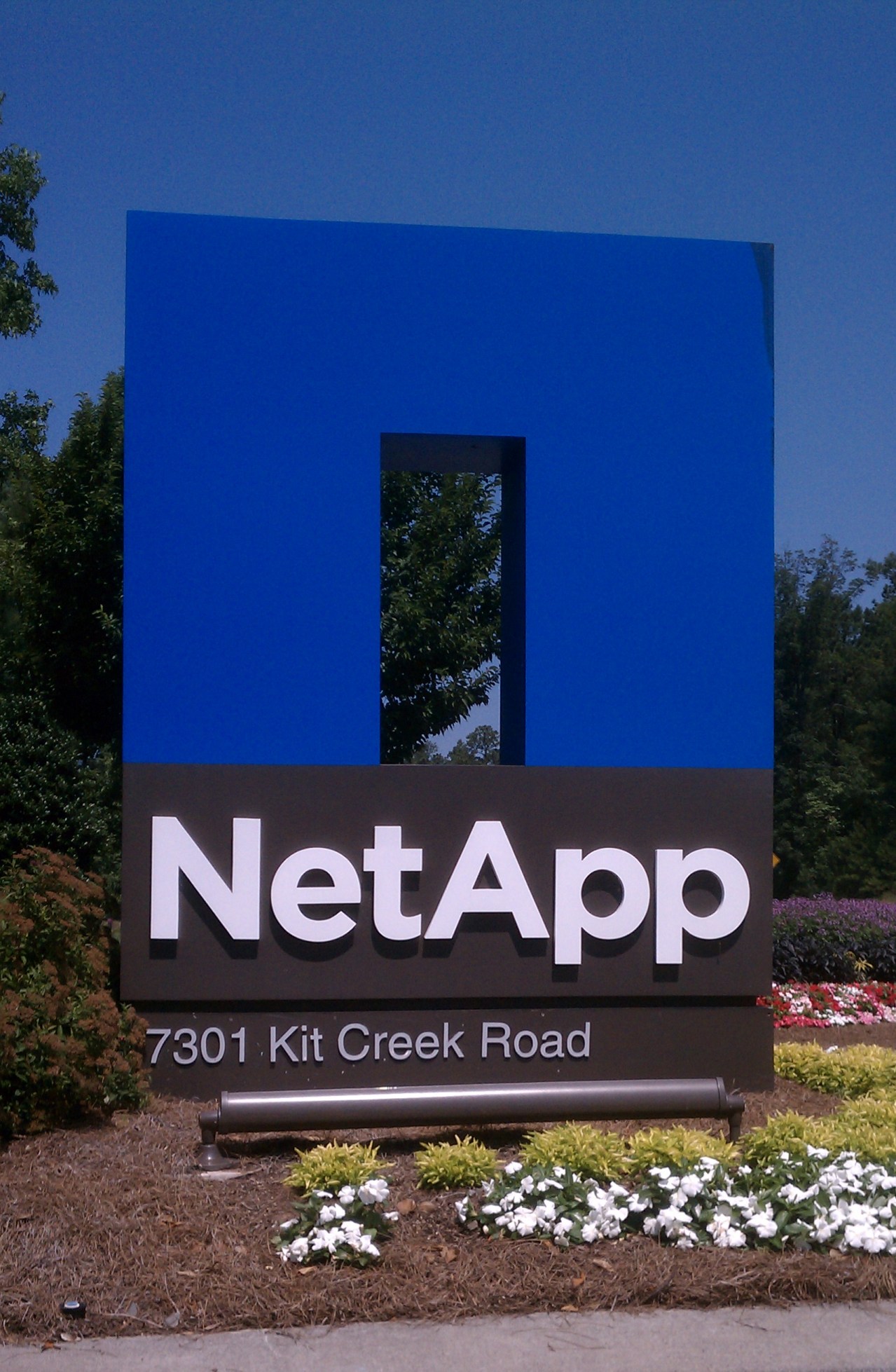 Last week I had the great pleasure of visiting the NetApp campus in Research Triangle Park. I had previously missed out on the opportunity to take part in an EBC trip with our reseller when we became a NetApp customer. Things came up and the trip never happened. Since I was going to be in the Raleigh area, I decided to take advantage of the proximity and pop in to see the folks at RTP and request a tour. I also wanted to sit down with one of their desktop virtualization experts since my company is exploring the possibility of rolling out hosted desktops.
The data center tour was quite impressive. Building 4 holds NetApp’s highly acclaimed Energy Star Data Center where they proudly show off the innovations that allow such a high energy efficiency. Efficiency is measured in PUE, which is the ratio of total power used by the facility over the power used by the IT equipment. Most data centers register a PUE of 2.0 while NetApp’s facility boasts a PUE rating of 1.2. They cut the typical power usage almost in half by using some simple yet incredibly innovative features. As Dave Hitz wrote in his blog article, two of these notable features are big fans and hot air, which were the very things I noticed when I toured.
The first thing I observed when I walked into the data center was the heat. There was a heat wave last week and walking into the data center provided little relief! I was suprised that it was not cooler since data centers are by nature, chilly. It turns out the engineers discovered that outside air up to 74 degrees was sufficient enough to cool the equipment. They just had to get this moderate air to the servers without mixing with the hot air. Of course they have their hot and cold aisles, but the engineers went a step further and closed off the cold aisles with doors at each end to provide access. They call this approach cold aisle containment. Containing these cold aisles allows the moderate outside air to reach the IT equipment without being tainted by the hot air. Thus they do not need to constantly use the chillers to cool the air. The only times they have to chill the air is when the outside temperatures rise above 74 degrees. This saves power costs since the chillers are used a smaller percent of the year.
The other noticeable thing was the wind tunnel flow of air through these aisles. Inside the cold aisle, air was rushing through. It is this increased air flow that also helps the moderate air cool the equipment by drawing the heat off the systems faster. Faster air means faster cooling. When we were on the second floor and standing on the vents above the hot aisles, I was again surprised by the amount of air gushing through the vents.
There are many other “cool” features and NetApp happily welcomes visitors every day to witness the innovative design. They built an Executive Briefing Center (EBC) to welcome their customers and showcase both the data center and the storage efficiencies of their products.
This wasn’t the end of my trip. I also had the pleasure of meeting with Chris Gebhardt, NetApp’s desktop virtualization guru. It was awesome meeting him and especially meaningful as the work of my organization, the Cystic Fibrosis Foundation, has had a very personal impact for him. We are ramping up our efforts to pilot test desktop virtualization and I was eager to speak directly with Chris about properly assessing our environment and employing best practices in the initial stages. It was a very insightful discussion with him! He had great tips and tools to share. What an incredible contact to have!
Overall, it was a fabulous time spent at the NetApp campus. I was delighted to hear how NetApp is truly trying to make a difference in the community. They have been running their “Technology Saves Lives” campaign and I think it was great for them to see that our organization is in the pursuit of saving lives by curing a disease (which is a whole other story unto itself!) NetApp also encourages its own employees to get involved and volunteer their time and energy in their communities. And of course, their energy efficiency is yet one more example of a company trying to make a difference. Bravo guys!
Special thanks to Will Graham for facilitating the tour and meeting.
 Mount Virtual